Connect Margin to Claude: plan and track by asking
Margin connects to Claude, so you can plan and track even more easily.
What you can ask
Use prompts like:
- "Log 2 hours to Fig & Fable yesterday, positioning workshop prep"
- "What's on my plate the next three weeks?"
- "Move my newsletter hours out a week"
- "Help me figure out how many hours this project will take over the next 5 weeks, and then add it to my plan."
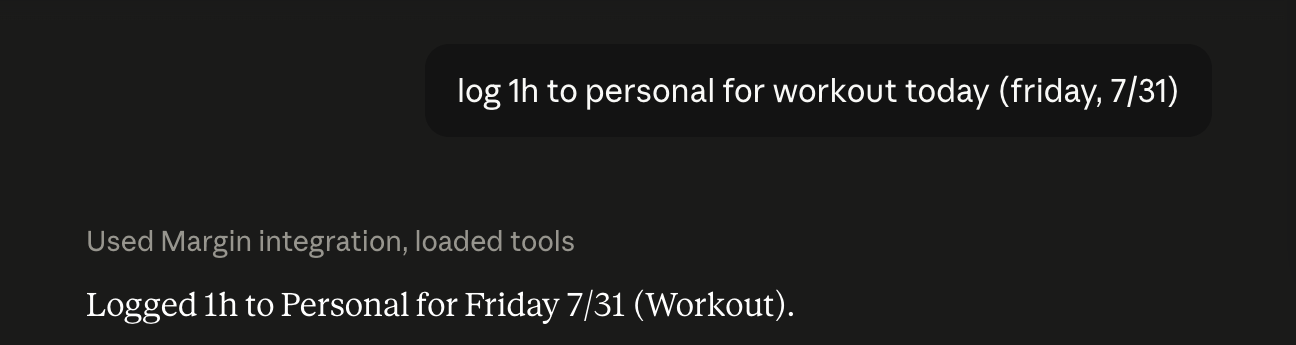
Claude can even build the plan
You can ask Claude to interview you about a project and it writes the week-by-week plan straight into your grid.
You just review it.
How to connect (about two minutes)
Easiest way: Margin will walk you through it, click by click, with the link ready to copy — open the guided setup.
Or do it by hand:
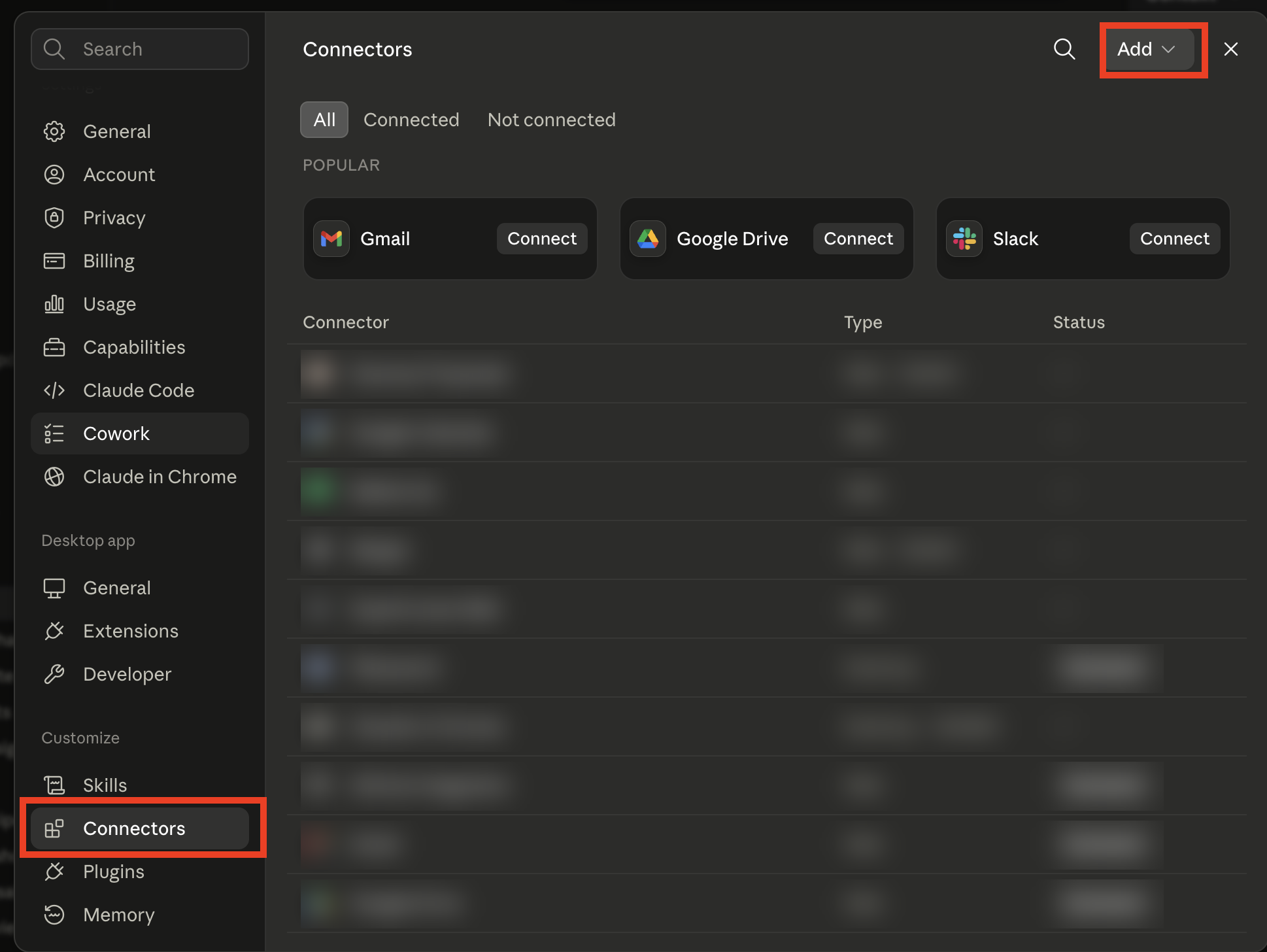
- In Claude, open Settings, then Connectors.
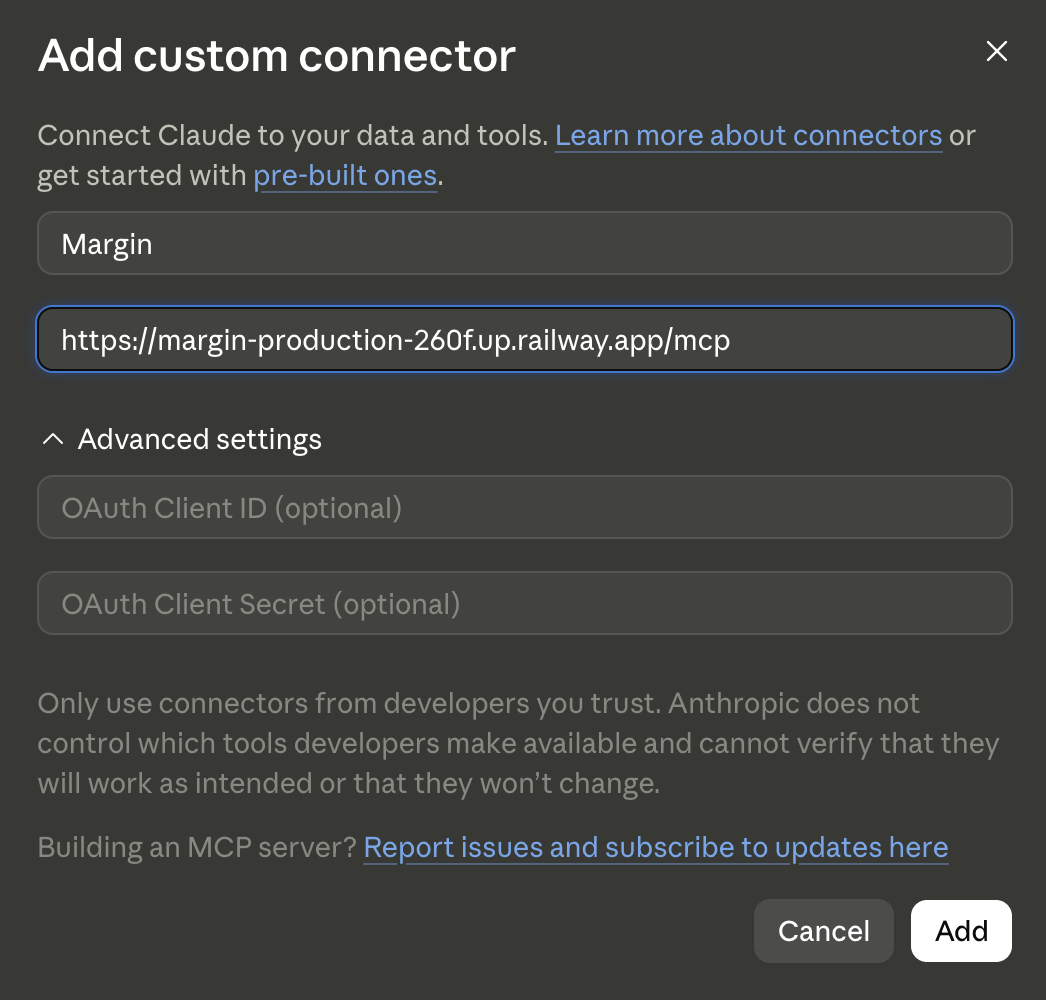
- Click Add, then Add custom connector, and paste this address:
https://margin-production-260f.up.railway.app/mcp - Sign in with your normal Margin login and approve. That's it.
Notes on privacy and safety
- Claude can only see your Margin data, and only after you sign in and approve it.
- It can't delete anything. That's on purpose. Worst case, it logs an entry you edit later.
Margin is a capacity planner for people who run a business and a life from the same desk.
Start planning →