How to set up Margin: categories that match how you work
I built Margin because every planning and time-tracking tool I tried was just too far in the weeds. Time-blocking every hour of my calendar, running a timer all day, color-coding a Gantt chart.
I didn't want any of that.
Three simple questions
I just wanted answers to three things:
- What are my general blocks of work over the next few weeks?
- When could I fit in something new without blowing up my schedule?
- How accurate, and how profitable, were my plans? (So I could make better ones next time.)
It all starts with categories
A category is just anything you want to plan and track time against.
- A big one-time project
- A client (retainer or a project)
- An area of your life you want to make sure gets space in your week (like working out, family time, or a side project you keep meaning to start)
There's no right answer here. You're really just deciding what deserves a row in your weeks.
What real setups look like
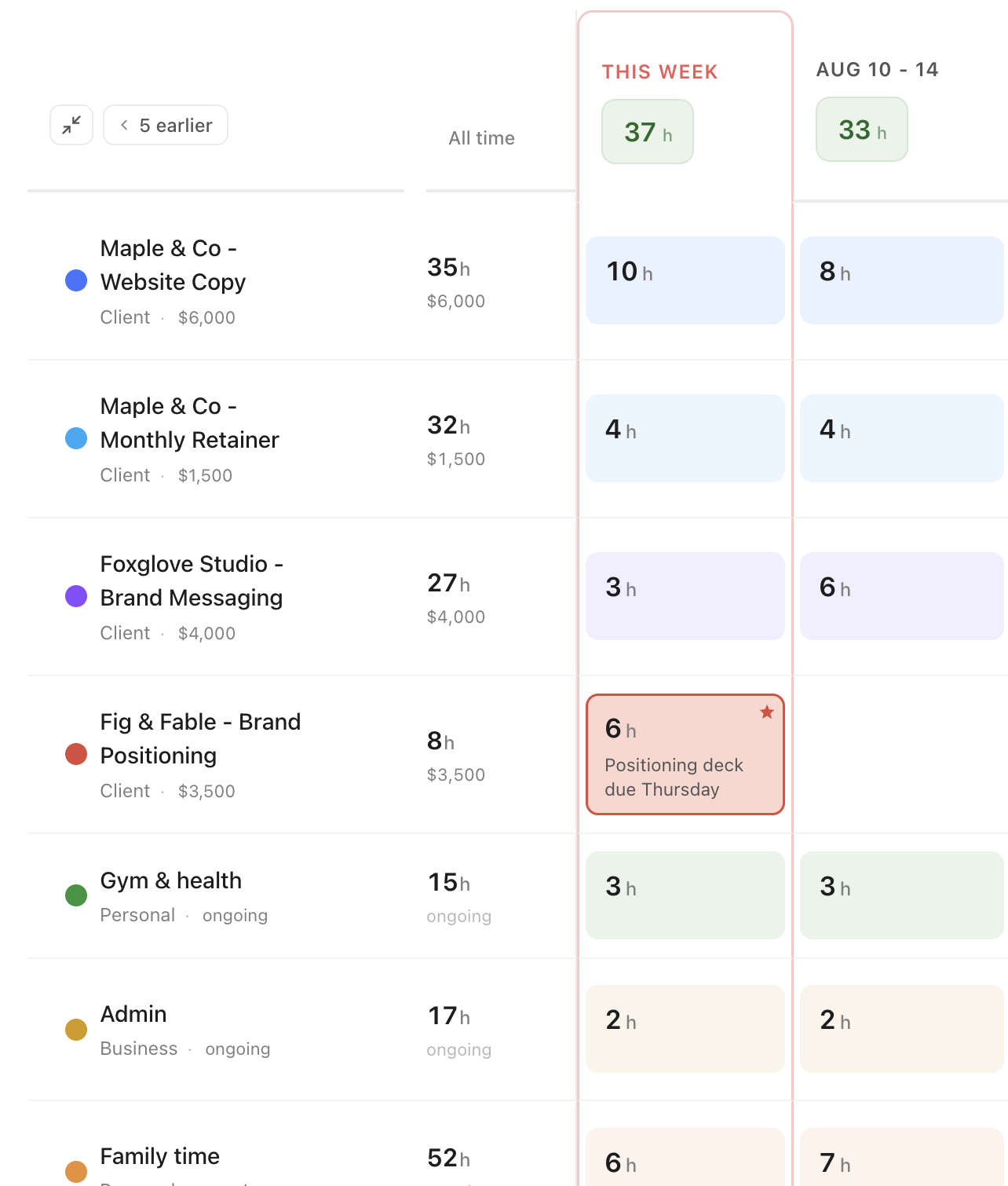
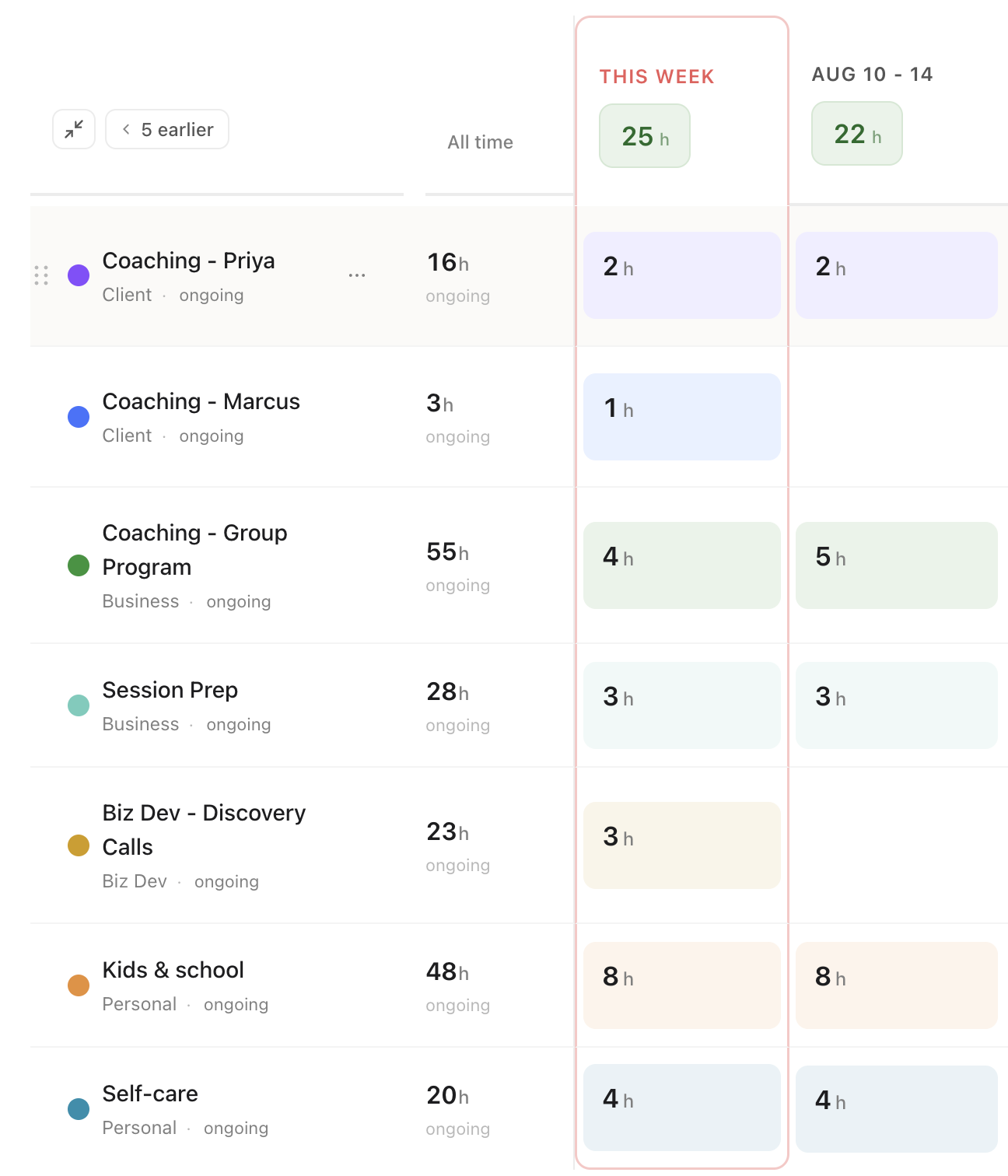
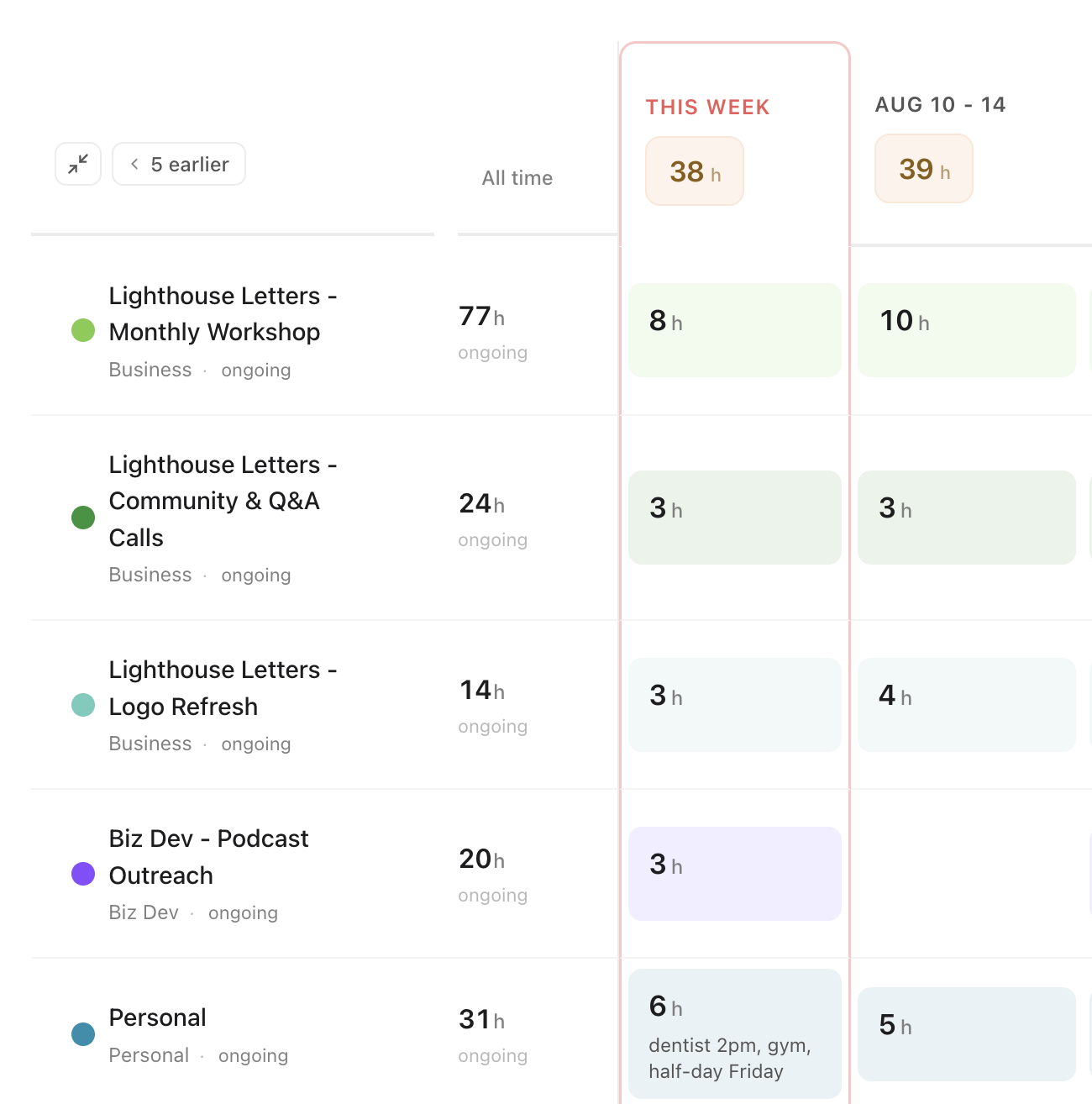
Here's what that looks like for a few different kinds of businesses. Notice how everyone names things their own way:
Add your first few categories
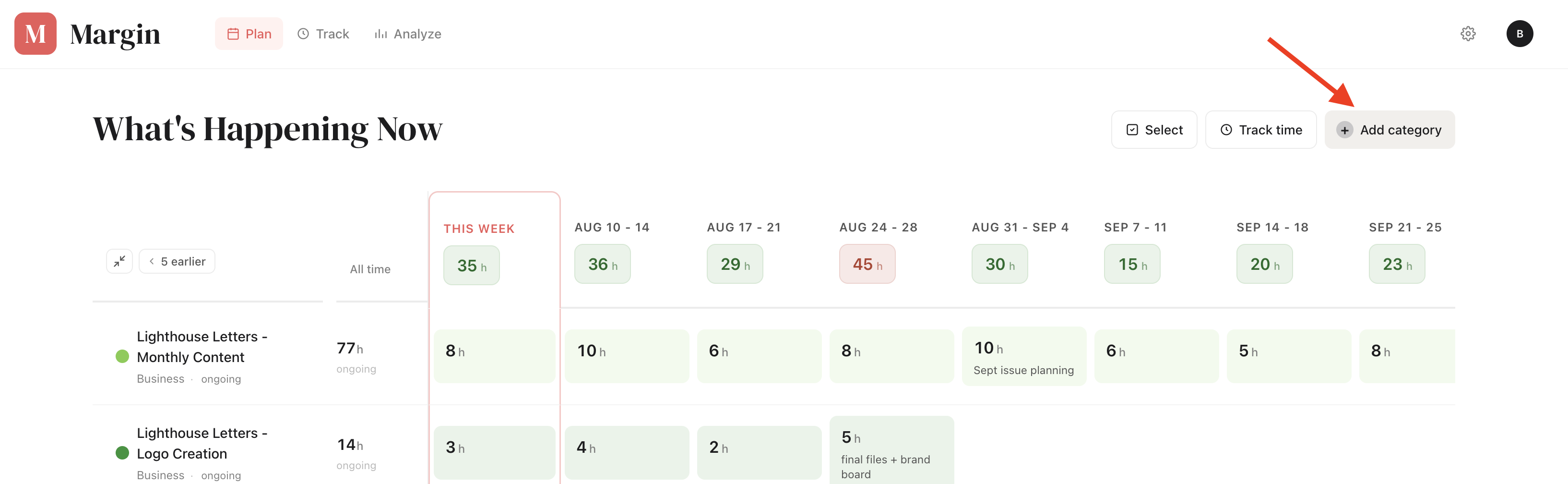
Don't overthink it or try to map out your whole business. Three or four is plenty to start. You can always add more.
A couple of questions I get a lot
"What if I have a few different projects for the same client, like website maintenance, a social retainer, and a one-time brochure?"
Make a separate category for each one and put the client's name first: Maple & Co - Website Maintenance, Maple & Co - Social Retainer, Maple & Co - Brochure. You can drag and drop them so they sit together and you can see everything for that client in one glance. But you can plan and track each one separately.
"Should I create a ton of personal categories, or just lump them together?"
Start simple. You can always split things out later. Personally, I keep just two. I have a Kids off category where I log time when the kids are home from school or I'm running them to appointments, and a Personal category that holds my own appointments, workouts, and any time I'm taking for myself. You can get more granular, but I'd rather keep the list short and jot the specifics in the cell notes.
Margin is a capacity planner for people who run a business and a life from the same desk.
Start planning →