The easiest way to track your time (no timer required)
You don't have to track your time to get value from Margin. Planning alone is useful. But tracking is where it pays off, because it shows you how close your plans were to what actually happened.
Log it as you go
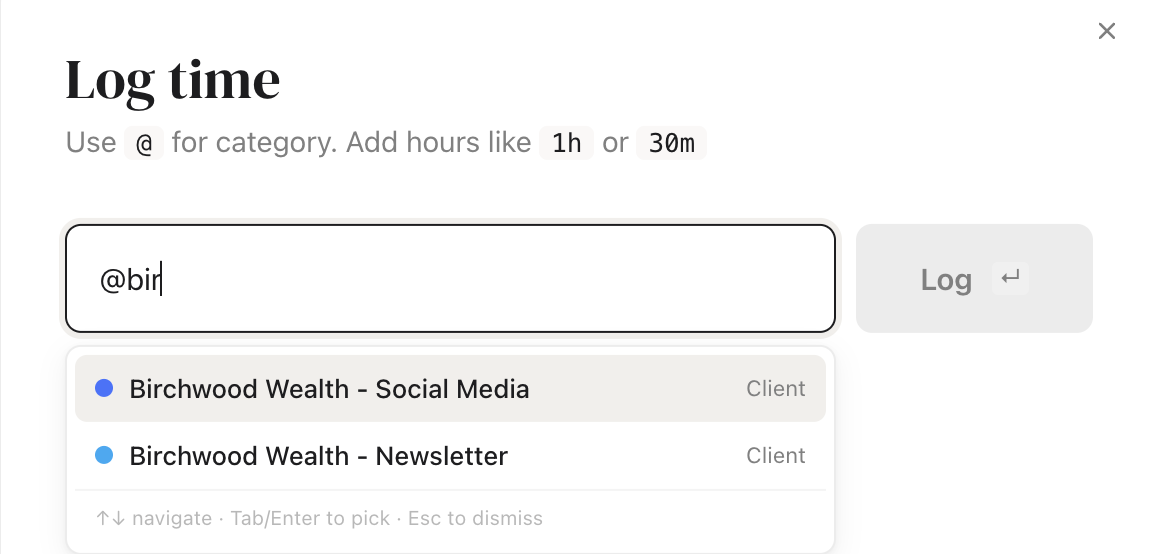
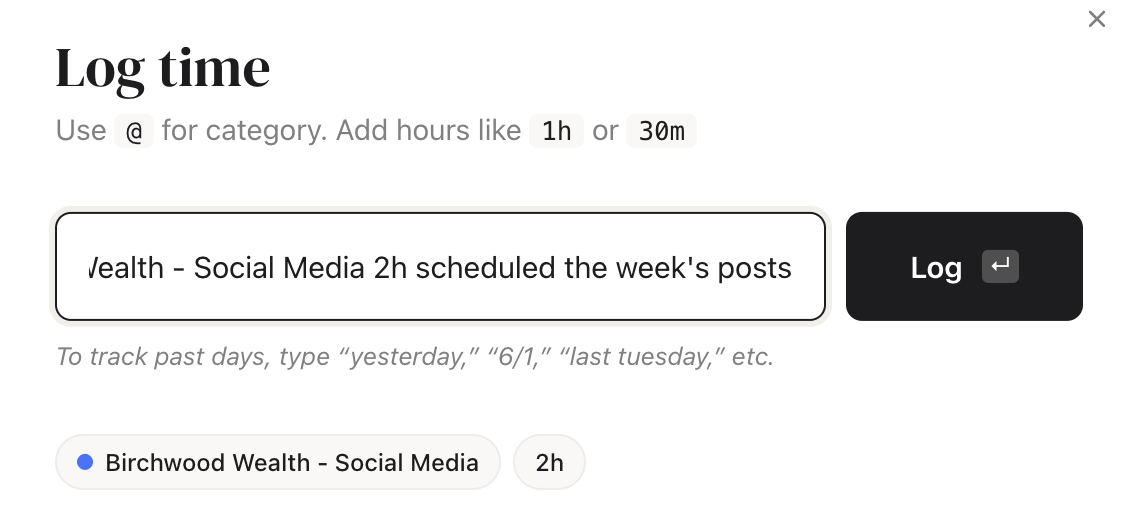
On the Track tab, type what you did in plain language and hit enter:
@Birchwood 2hlogs 2 hours to Birchwood Wealth, today@Priya 45 mins yesterdayputs it on the right day
Type @ to pick the category, add the hours, and anything else you type sticks to the entry as a note.
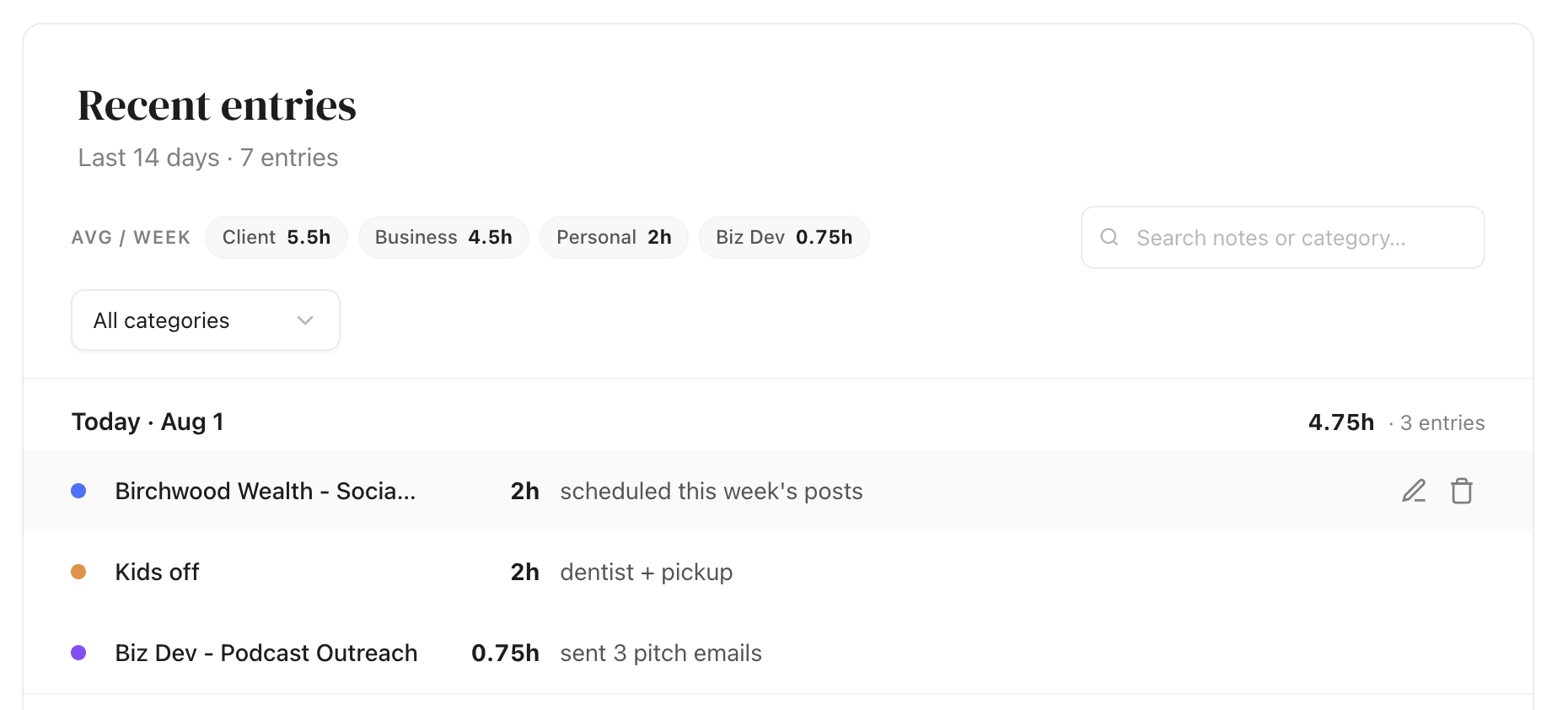
Everything lands in Recent entries
Every log drops into the Recent entries list just below, where you can click in and fix anything. I do this once a day. I glance at my calendar, type a few quick lines, and I'm done in under a minute.
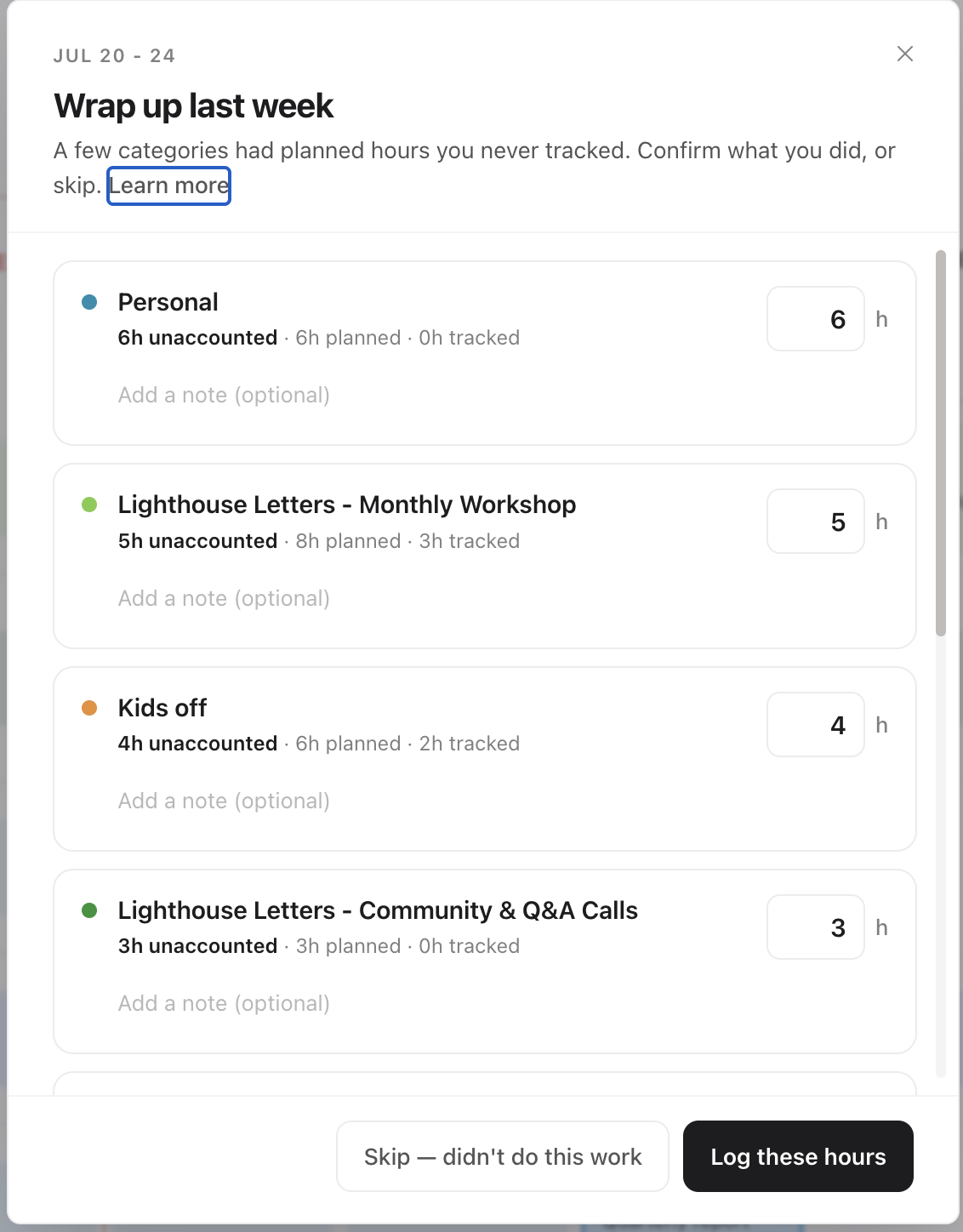
Or wrap up the whole week at once
Don't want to log day by day? You don't have to. At the end of each week, Margin pops up a quick recap called Wrap up last week. It lists each category with its planned hours next to what you tracked, and you confirm or adjust the totals right there. Think of it as a two-minute gut check instead of daily logging.
Margin is a capacity planner for people who run a business and a life from the same desk.
Start planning →