Rough out your weeks: capacity planning without the detail trap
The detail trap
When I first started trying to plan my weeks more consistently, I'd get hung up on the details:
- How long is this really going to take me?
- Is this client going to get their feedback to me on time?
- How much research will I have to do before I can even start?
I was waiting until things were 100% solid before I planned them out. But the problem was that they never got to 100%, so I never got to planning.
Rough hours are plenty
Margin is built for rough guesses. Once your categories are set up, this takes about two minutes.
Open the Plan tab. Pick one category and rough in the hours you expect over the next few weeks. A monthly retainer might be a steady 5 hours a week. A big project might be heavy up front and lighter later. Your best guess is plenty.
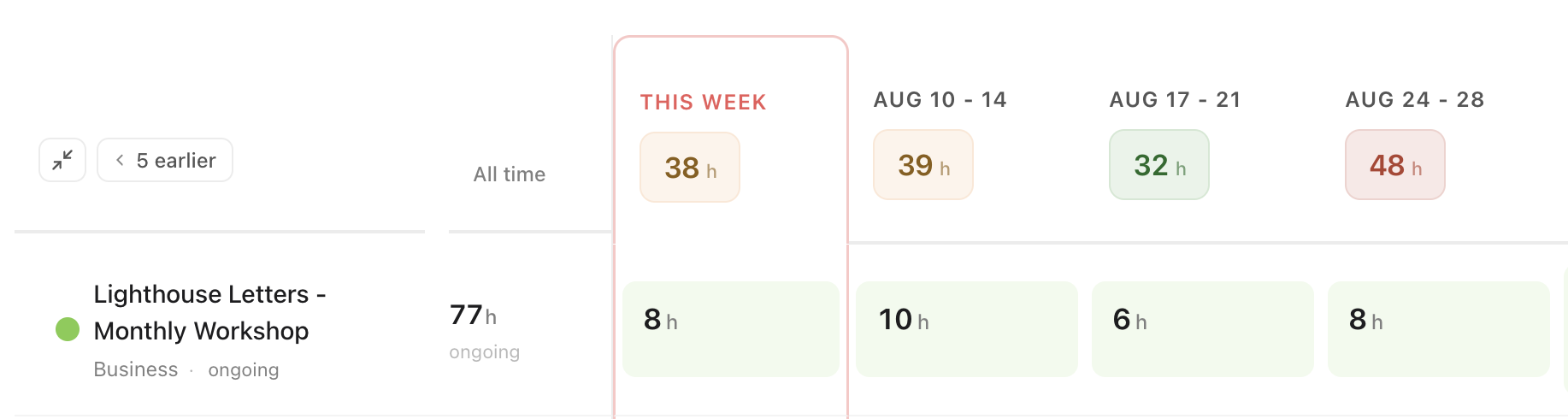
Watch the week totals
As you fill things in, keep an eye on each week's total. Margin colors it as the week fills up, so you can spot an overloaded week before you're living it. Got a hard deadline that week? Star it so it stands out.
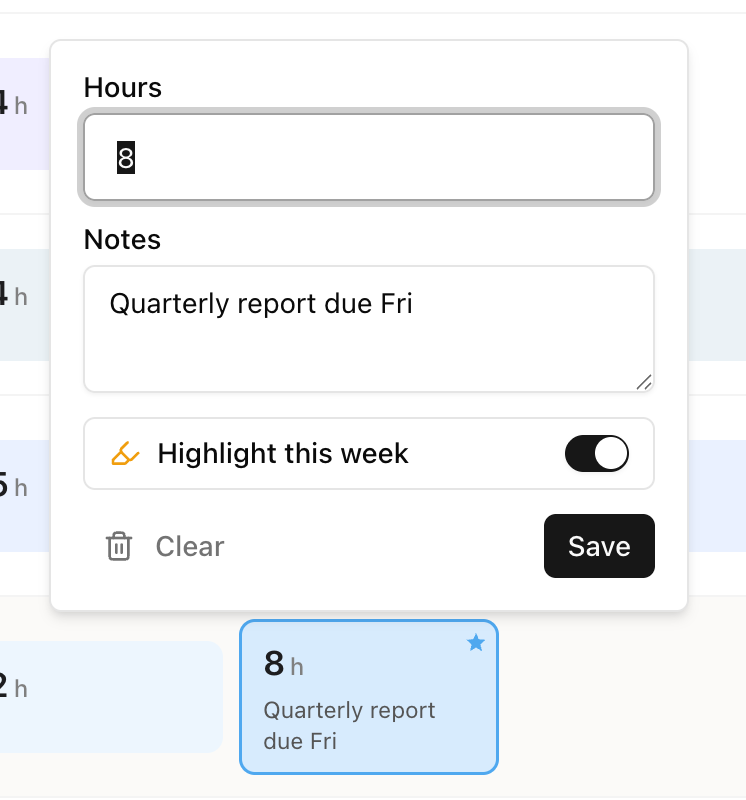
Two things that make this faster
- Repeating work, like a retainer? Type the hours once, then copy and paste them across the weeks where they repeat.
- Plans shifted? Select the hours and slide them to a different week. No retyping.
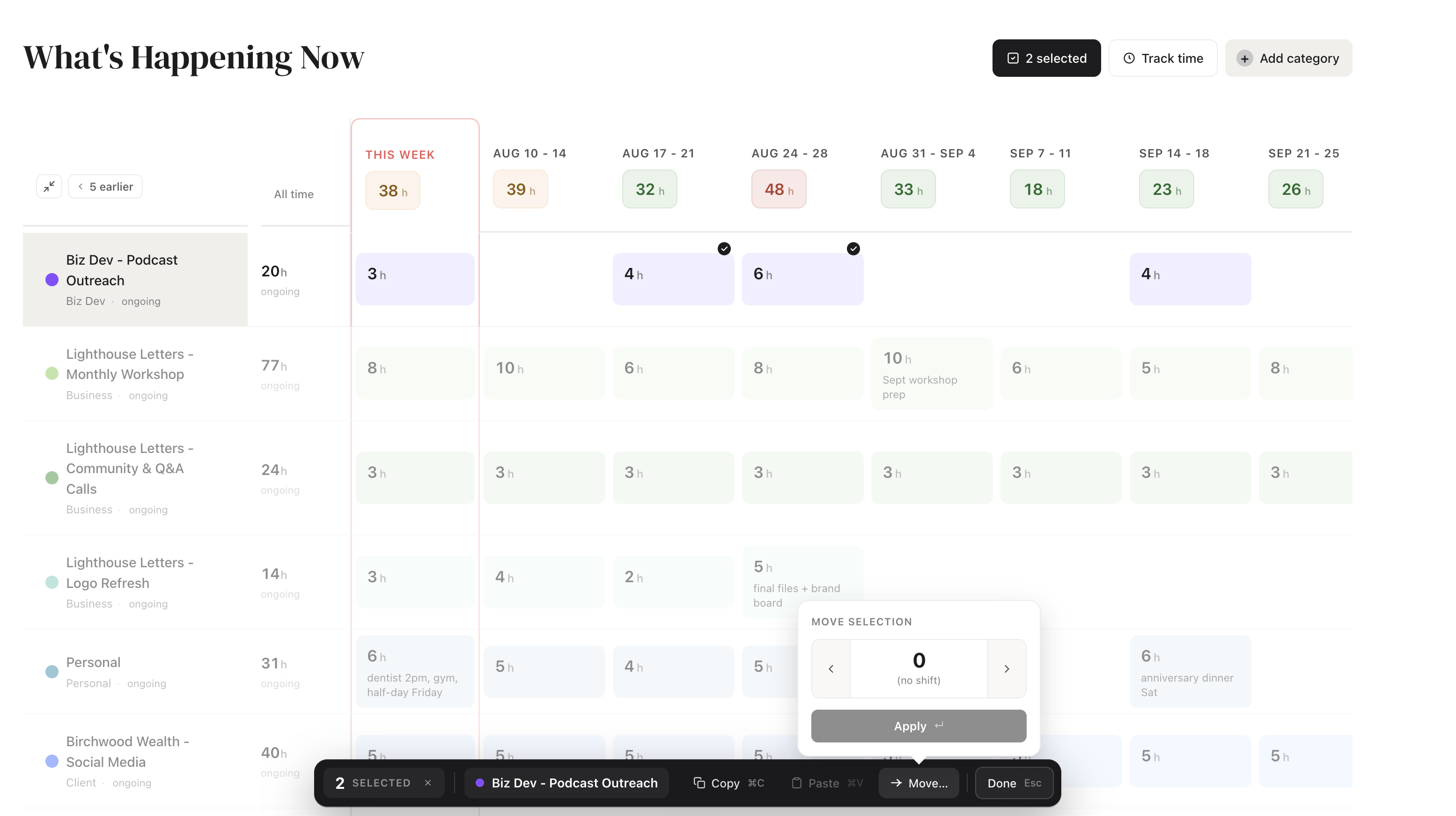
Let Claude plan the weeks for you
Not sure where to start? Margin connects to Claude, and you can ask it to interview you about a project and write the week-by-week plan straight into your grid.
Not a Claude user? Paste this prompt into any AI assistant, answer its questions, and drop the plan it hands back into Margin:
I'm using a capacity planner to map out a project, and I want you to build the week-by-week plan for me so I can copy it straight in. The planner holds two things for each week: a number of hours, and a short note about what I'm doing that week. First, ask me the questions you need, a few at a time, to understand the project: what it is, when it's due, my rough estimate of total hours, the main phases or tasks involved, how many hours a week I can realistically give it, and any weeks I'll be away. Then give me the finished plan as a table with one row per week, from now until the deadline. Each row should have: the week's date, the number of hours to schedule that week, and a short note for what to focus on. Flag any week that looks too tight.
Margin is a capacity planner for people who run a business and a life from the same desk.
Start planning →